
The End of the Breadboard? Why Virtual Labs are Here to Stay
Browser-based simulators offer faster feedback, better signal visibility, and lower cost than physical breadboards. A hybrid model uses each where it excels.

TL;DR: Browser-based circuit simulators teach digital-logic concepts faster and more reliably than physical breadboards by collapsing the build-test-revise cycle from minutes to seconds, exposing every signal at every node, and removing per-station hardware cost. Physical labs retain a narrow advantage for tactile/analog experience; the strongest curricula treat them as a capstone after a virtual core.
For half a century, the breadboard has been the defining artifact of digital logic education. Students insert chips, run jumper wires, and debug connections by sight and multimeter. The experience is tactile, sometimes frustrating, and undeniably formative. So when virtual labs began replacing breadboards — first as a pandemic necessity, then as a deliberate pedagogical choice — the reaction from many educators was skepticism. Can a browser-based simulation really teach what a physical lab teaches?
The evidence increasingly says yes, and in several important dimensions, simulation-based labs produce better learning outcomes than physical hardware. This is not an argument for eliminating hands-on experience entirely. It is an argument, grounded in learning science and practical classroom experience, that virtual labs have moved from “substitute” to “superior default” for the conceptual core of digital logic education.
The Pedagogical Case: What Learning Science Tells Us
Constructivism and Active Learning
The constructivist theory of learning, developed by Jean Piaget and extended by Seymour Papert, holds that learners build knowledge through active manipulation of their environment. Papert’s concept of constructionism goes further: learners construct knowledge most effectively when they are constructing something external and shareable — a program, a model, a circuit.
Virtual circuit simulators are inherently constructionist tools. Students build circuits, test them, observe results, revise their designs, and share their work via URLs. The simulation environment provides the same active construction loop as a physical breadboard, with a critical advantage: the feedback cycle is faster. There is no time lost to wiring errors, broken components, or waiting for a teaching assistant to check connections. The student’s cognitive effort stays focused on the conceptual problem (does my logic design work?) rather than the mechanical problem (is my wire in the right row?).
Immediate Feedback and the Learning Cycle
David Kolb’s experiential learning model describes a four-stage cycle: concrete experience, reflective observation, abstract conceptualization, and active experimentation. The speed at which a learner can complete this cycle directly affects learning efficiency.
In a physical lab, the cycle is slow. A student builds a circuit (concrete experience), tests it (reflective observation), hypothesizes about why it failed (abstract conceptualization), and rewires it (active experimentation). Each iteration may take 10-20 minutes, much of it spent on mechanical tasks. In a virtual lab, the same cycle takes 1-3 minutes. A student can complete five to ten iterations in the time a physical lab allows one or two. More iterations mean more opportunities for insight.
Research on feedback timing supports this. A 2014 meta-analysis by Van der Kleij, Feskens, and Eggen found that immediate feedback produces significantly stronger learning effects than delayed feedback, particularly for procedural and conceptual tasks. Virtual labs provide feedback in milliseconds; physical labs impose delays measured in minutes.
Bloom’s Taxonomy and Cognitive Load
Benjamin Bloom’s taxonomy of educational objectives arranges cognitive tasks in ascending order: remember, understand, apply, analyze, evaluate, create. In a digital logic course, the learning objectives are typically at the “apply” and “analyze” levels: can the student design a circuit that implements a given Boolean function, and can the student diagnose why a circuit produces incorrect output?
Physical breadboard labs impose a high extraneous cognitive load — mental effort spent on tasks unrelated to the learning objective. Identifying the correct row on a breadboard, tracing wire colors, and debugging loose connections are mechanical tasks that consume working memory without contributing to understanding of logic design. Cognitive load theory (Sweller, 1988) predicts that high extraneous load degrades performance on the primary learning task.
Virtual labs minimize extraneous load. Component placement is clean and labeled. Wires are visually distinct and cannot come loose. Signal states are visible at every node. This frees cognitive resources for the actual learning objectives: designing correct logic, analyzing signal flow, and understanding timing behavior.
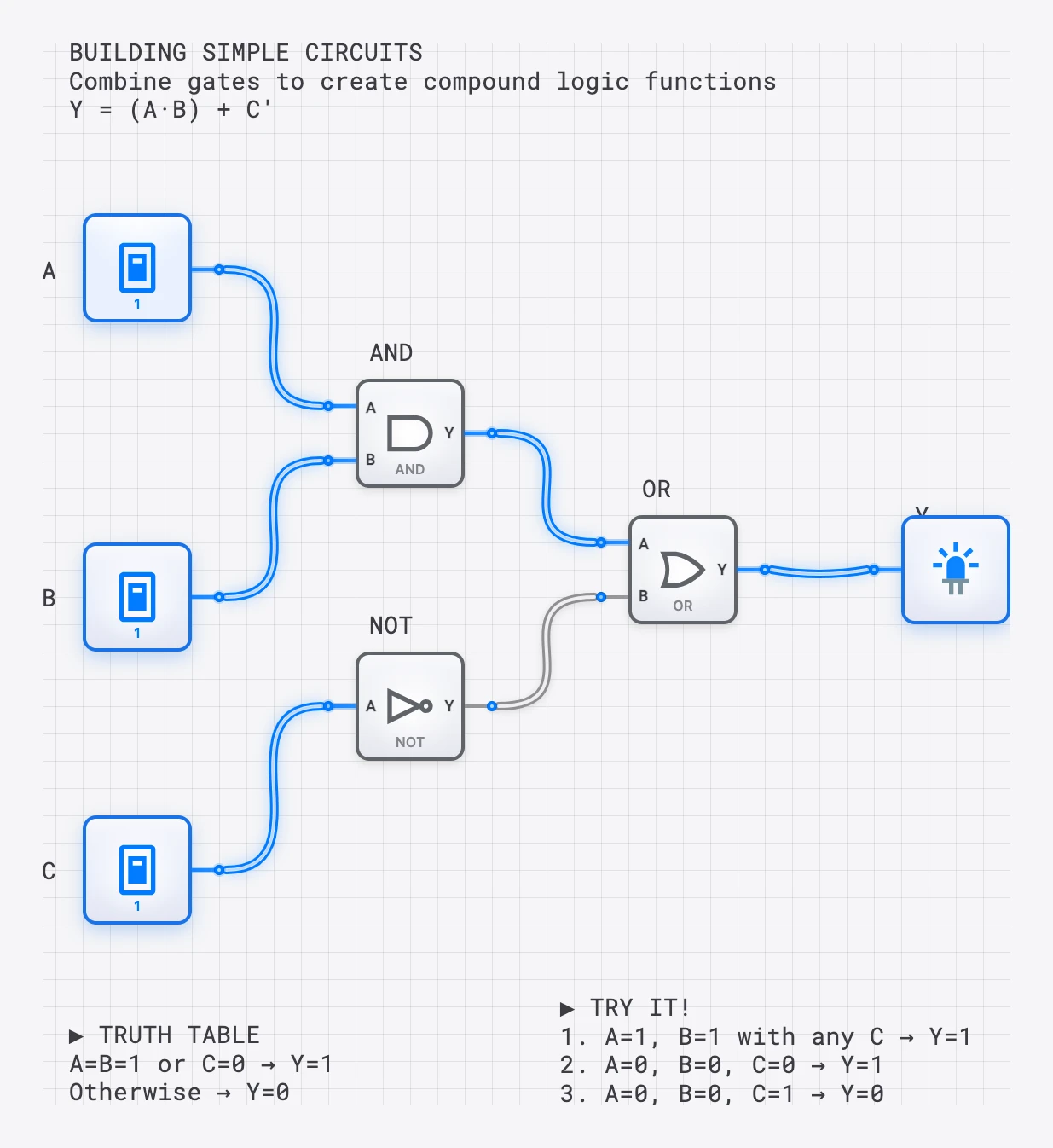
A virtual circuit is never “broken” — components work perfectly every time, letting students focus on concepts instead of debugging hardware.
- $0 hardware cost per student
- 24/7 lab accessibility
- Unlimited component availability
The Practical Case: What Classrooms Actually Face
Cost and Scale
A basic digital logic lab kit (breadboard, IC chips, jumper wires, power supply, multimeter) costs 5,000-20,000 in hardware alone, plus ongoing maintenance costs for damaged components. At institutions with tight budgets — community colleges, high schools, universities in developing countries — this cost is prohibitive.
Virtual labs eliminate per-student hardware costs entirely. The marginal cost of adding one more student to a browser-based simulator is zero. This is not a minor logistical advantage; it is a structural change that makes digital logic education accessible to institutions that could never afford a physical lab.
Access and Scheduling
Physical labs are available only during scheduled hours in a specific room on campus. Students with jobs, family obligations, or disabilities that make campus travel difficult are disadvantaged. Remote and online learners are excluded entirely.
Virtual labs are accessible 24/7 from any device with a browser. A student can work on a lab assignment at 11 PM from a phone in a coffee shop. This is not merely convenient; it is equitable. Research on online lab access consistently shows that students use virtual labs outside of scheduled class time, and that this additional practice correlates with improved performance.
The Remote Learning Imperative
The COVID-19 pandemic forced a natural experiment: thousands of digital logic courses shifted from physical to virtual labs overnight. Many instructors expected a significant decline in learning outcomes. What several post-pandemic studies found instead was that student performance on conceptual assessments was comparable, and in some cases improved, when virtual labs replaced physical ones. The improvement was attributed to the faster feedback cycle and the ability for students to practice more frequently.
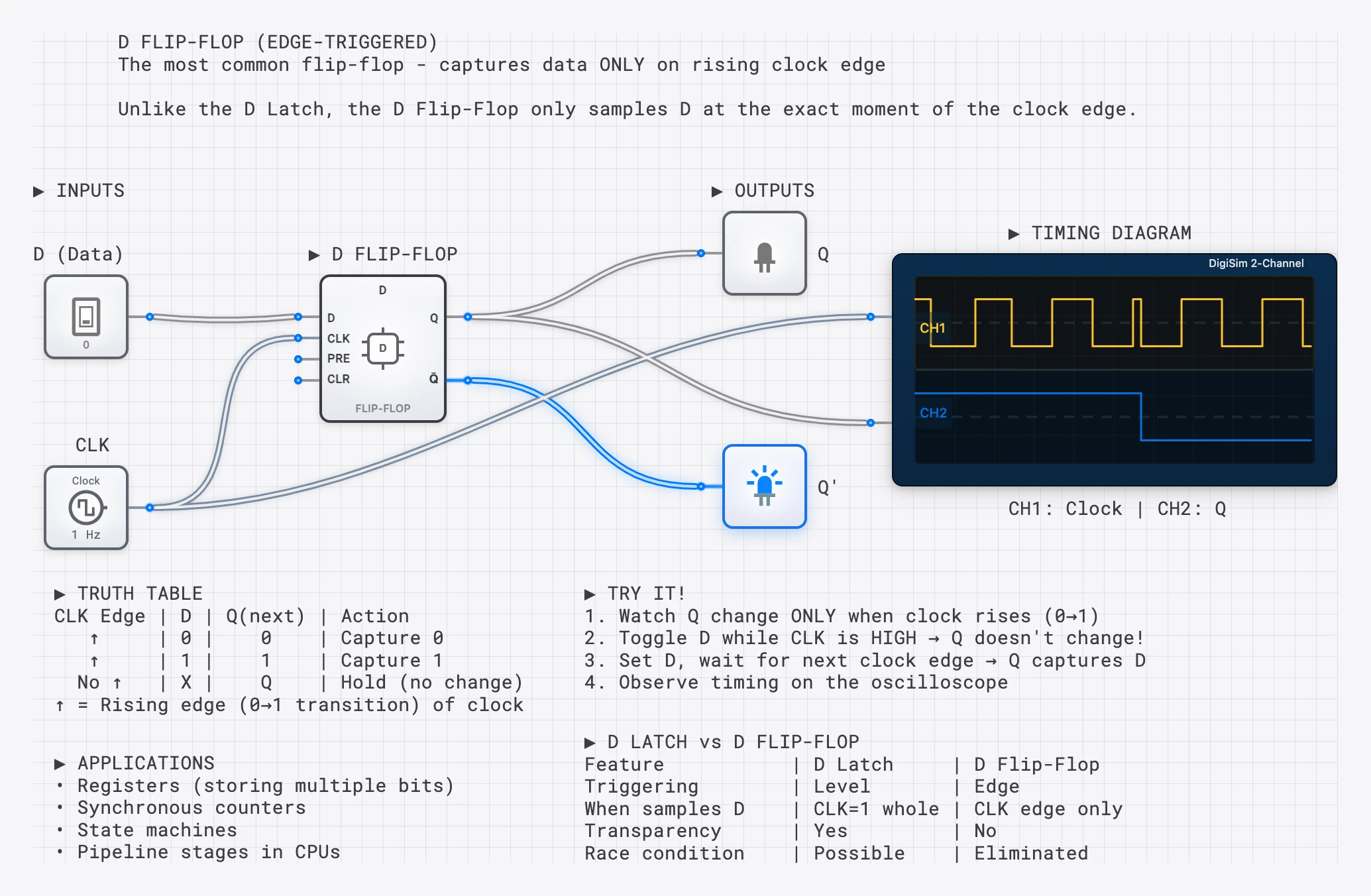
Oscilloscope visualization showing exact timing relationships — impossible to see on a physical breadboard without expensive equipment.
Signal Visibility: The Hidden Advantage
One of the most significant pedagogical advantages of virtual labs is rarely discussed: signal visibility. On a physical breadboard, you cannot see the logical state of a wire. You need a multimeter or oscilloscope — expensive equipment that most undergraduate labs have in limited quantities — to observe signal values at internal nodes.
In a virtual simulator, every wire’s state is visible. Signal colors change in real time. Internal nodes are as observable as inputs and outputs. This transforms debugging from a frustrating guessing game into a systematic analytical process.
Consider a student debugging a faulty 4-bit adder. On a breadboard, identifying which internal carry bit is incorrect requires probing dozens of nodes with a multimeter. In a simulator, the student can visually trace the signal through each full adder stage and immediately see where the carry chain breaks. The debugging process itself becomes a learning experience — the student must understand the circuit’s structure to trace the signal flow.
Built-in oscilloscope tools extend this advantage to sequential circuits. Students can observe clock-to-output timing relationships, setup and hold time violations, and race conditions in flip-flop circuits — phenomena that are invisible on a breadboard without expensive lab equipment and significant test setup time.
Physical vs. Virtual: An Honest Comparison
| Dimension | Physical Lab | Virtual Lab | Advantage |
|---|---|---|---|
| Conceptual learning | Effective but slow iteration | Faster iteration, more practice | Virtual |
| Signal visibility | Requires external instruments | Built-in at every node | Virtual |
| Feedback speed | Minutes per cycle | Seconds per cycle | Virtual |
| Extraneous cognitive load | High (mechanical debugging) | Low (clean interface) | Virtual |
| Cost | $50-200 per station | Free to low subscription | Virtual |
| Access | Scheduled lab hours | 24/7 from any device | Virtual |
| Scalability | Limited by space and equipment | Unlimited | Virtual |
| Tactile experience | Real chips, real wires | None | Physical |
| Analog awareness | Students encounter noise, tolerance | Idealized signals | Physical |
| Professional preparation | Experience with test equipment | No hardware skills | Physical |
The physical lab retains advantages in two areas: tactile experience (there is genuine value in handling real ICs and understanding pin layouts) and exposure to analog realities (noise, tolerance, and the imperfections of physical signals). These advantages are real but narrow. They matter most for electrical engineering students who will design physical circuits professionally. For computer science students learning logic design as a foundation for architecture courses, the virtual lab’s advantages in conceptual learning, accessibility, and cost are decisive.
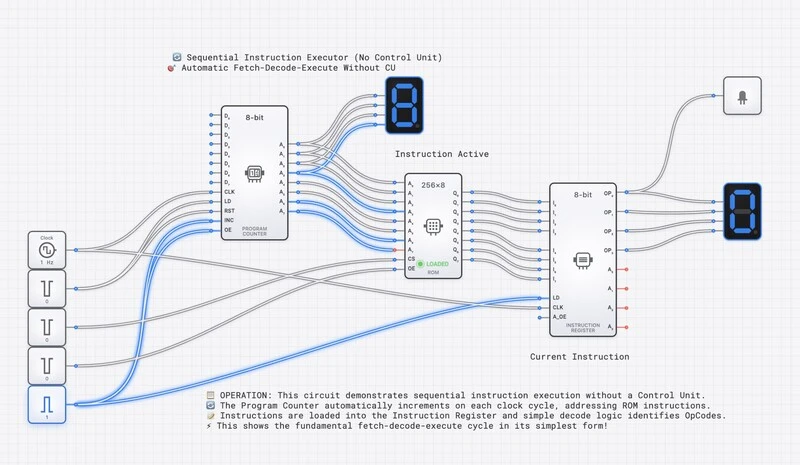
Complex circuits like this CPU demonstration are impractical on physical breadboards but natural for interactive simulation.
Curriculum Design: The Hybrid Model
The strongest approach is not pure virtual or pure physical, but a deliberate hybrid that places each modality where it is most effective.
Virtual First, Physical Capstone
The recommended structure:
Weeks 1-10: Virtual Labs. Students learn logic gates, Boolean algebra, combinational circuits, sequential circuits, and basic processor architecture entirely in simulation. The virtual environment’s fast feedback and low extraneous load allow students to cover more material and attempt more designs than a physical lab schedule permits.
Weeks 11-13: Physical Lab Sessions. After mastering the concepts in simulation, students build selected circuits on physical breadboards. With a strong conceptual foundation already in place, the physical lab becomes a focused exercise in translating known designs to real hardware, rather than simultaneously learning concepts and fighting hardware.
Weeks 14-15: Capstone Project. Students design a complex system (e.g., a simple ALU or traffic light controller) in simulation, verify its correctness exhaustively, then implement it on hardware. This sequence — design in software, verify in simulation, implement in hardware — mirrors professional engineering practice.
Specific Curriculum Mapping
| Course Topic | Recommended Modality | Rationale |
|---|---|---|
| Basic gates (AND, OR, NOT) | Virtual | Conceptual focus, rapid experimentation |
| Boolean algebra and simplification | Virtual | Iterative design changes, fast verification |
| Combinational design (adders, MUX) | Virtual | Complex circuits, exhaustive testing |
| Sequential design (flip-flops, FSMs) | Virtual | Timing visualization requires oscilloscope |
| Timing analysis | Virtual | Built-in waveform display |
| Physical IC characteristics | Physical | Pin layouts, datasheets, real tolerances |
| Breadboard construction skills | Physical | Motor skills, physical debugging |
| Capstone integration project | Hybrid | Design virtual, implement physical |
Interactive Lessons as Structured Curriculum
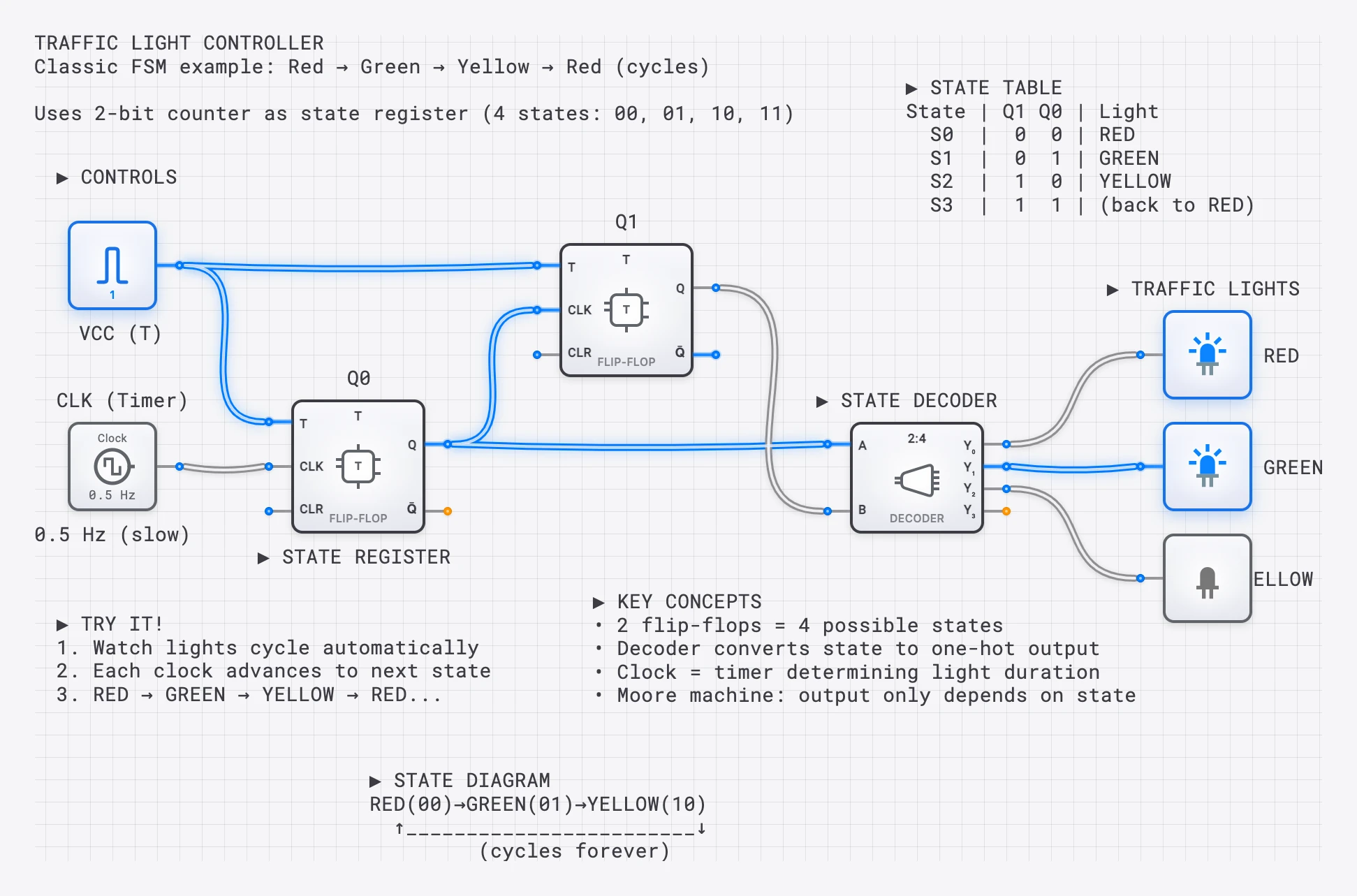
A traffic light controller lesson: students see state machines in action, not just static diagrams.
Pre-built interactive lesson modules — like DigiSim.io’s SimCast lessons — provide structured learning sequences with embedded simulations. These modules address a common challenge in virtual lab adoption: creating high-quality assignments and guided exercises is time-intensive. With 70 structured lessons covering fundamentals through CPU design, educators can assign targeted practice without building materials from scratch, then focus their own effort on custom assessments and office hours. New students can start with Your First Circuits in DigiSim.io and follow Digital Logic 101 for the gate-level fundamentals.
The Equity Imperative
The cost and access advantages of virtual labs are not merely practical conveniences. They address a structural equity problem in CS education.
Consider two institutions:
- University A has a $2M hardware budget, dedicated lab space, and TAs for every section. Students access the lab 60 hours per week.
- University B has a $50K hardware budget, shared lab space with three other departments, and no dedicated TAs. Students access the lab 12 hours per week.
Under the physical-only model, University B’s students receive one-fifth the lab access and far less individual support. The quality gap between these two educational experiences is enormous and is determined primarily by funding, not by the quality of the teaching.
Virtual labs collapse this gap. Both institutions can provide unlimited lab access, identical simulation tools, and the same interactive lesson content. The student at University B who works evenings and can only access the lab at midnight gets the same simulation environment as the student at University A who studies during business hours.
This is not a theoretical argument. Hundreds of institutions worldwide have adopted browser-based simulators specifically because they democratize access to laboratory experiences that were previously limited by budget and geography.
Addressing the Skeptics
”Students need to touch real hardware”
Yes, for electrical engineering students who will design physical circuits. For CS students learning logic as conceptual foundation, the marginal benefit of tactile experience does not justify the cost, access, and feedback-speed penalties of physical-only labs. The hybrid model preserves tactile experience for students who need it while using virtual labs where they are pedagogically superior.
”Virtual labs are too easy — students don’t learn to debug”
Debugging in a virtual lab is different, not easier. In a physical lab, debugging is often mechanical: checking for loose wires, identifying bent pins, verifying power connections. In a virtual lab, debugging is purely logical: tracing signal values through a circuit to find where behavior diverges from expectation. The virtual debugging process is more aligned with the actual learning objective (understanding circuit logic) and is directly applicable to professional practices like RTL simulation and formal verification.
”Simulation is not ‘real’”
Every professional chip designer works primarily in simulation. Physical prototyping occurs only after extensive simulation and verification. The industry standard workflow is: design in HDL, verify in simulation, synthesize to silicon. A student who can design and debug circuits in simulation is practicing the same methodology used in professional ASIC and FPGA design.
Getting Started with Virtual Labs
For educators considering the transition:
- Start with one module. Replace a single physical lab assignment with a virtual equivalent and compare student performance and satisfaction.
- Use pre-built content. Leverage existing lesson libraries and circuit templates to reduce initial preparation time.
- Assign virtual pre-labs. Even if you keep physical labs, have students complete the circuit design in simulation before arriving at the physical lab. This ensures they spend physical lab time on construction rather than design.
- Collect data. Track student performance on conceptual assessments before and after the transition. The evidence will guide your next steps.
The breadboard is not dead. But its role has changed. It is no longer the default medium for learning digital logic. It is a specialized tool for a specific phase of the curriculum, complementing a virtual environment that handles the conceptual core more effectively, more accessibly, and at lower cost.
For instructors deciding how to grade student circuits at scale, see Grading Circuits in Seconds. For an example of how a complex topic looks in simulation, see Visualizing the Fetch-Decode-Execute Cycle.